
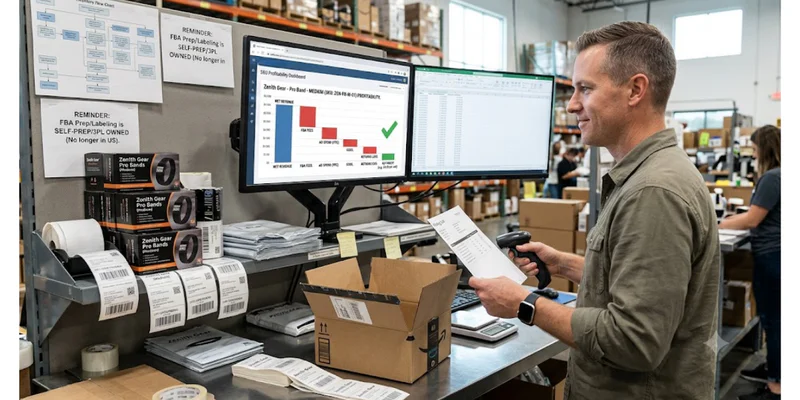
Amazon FBA software that connects to QuickBooks and Xero is not new. A2X, Link My Books, Synder, and Taxomate all do it, and each one solves the same core problem: your Amazon settlement deposits do not match your daily sales, so a plain bank feed makes your books wrong. What none of them do is tell you which SKUs are actually making you money. That is a separate job, and most sellers skip it.
Key Takeaways
● Tools like A2X, Link My Books, Synder, and Taxomate connect Amazon settlement data to QuickBooks and Xero automatically, replacing manual reconciliation.
● Pricing ranges from about $17 to $65 a month at entry level, up to $1,000+ a month for high order volume on A2X.
● These tools fix bookkeeping accuracy. None of them tell you which SKUs are actually profitable after ads, returns, and fees.
● Amazon settlement reports bundle referral fees, FBA fees, storage costs, advertising spend, and reimbursements into one lump deposit every 14 days, which is why a plain bank feed breaks.
● Sellerview.ai is not a bookkeeping connector. It works alongside these tools to show SKU-level profit once your books are already clean.
At a Glance
How These Tools Actually Work
If you sell on Amazon and use QuickBooks or Xero, you already know the disconnect. Amazon does not deposit your sales revenue into your bank account. It deposits a net settlement, roughly every 14 days, after subtracting referral fees, FBA fulfillment fees, storage charges, advertising spend, and refunds. A plain bank feed records that deposit as one lump sum of “income,” which is wrong for taxes, wrong for margin tracking, and wrong for knowing if you are actually profitable. The right amazon fba software fixes this by breaking each settlement into its real components before it ever touches QuickBooks or Xero.
A few terms worth defining since they show up constantly in this space:
● Referral fee: the commission Amazon takes on every sale, which varies by category.
● FBA fee: the fulfillment charge Amazon takes for picking, packing, and shipping a Fulfilled by Amazon order.
● ACoS (Advertising Cost of Sales): ad spend divided by ad-attributed sales on a single campaign.
● TACoS (Total Advertising Cost of Sales): total ad spend divided by total sales across the business, a more honest read on whether ads are actually eating your margin.
Without software that decodes the settlement report, your bookkeeper (or you, at 11pm) is manually splitting one deposit into a dozen categories every two weeks. That is slow, error-prone, and it does not scale past a handful of SKUs.
What Amazon FBA Software That Connects to QuickBooks and Xero Actually Does
This category of software reads your Amazon Seller Central settlement report, decomposes it into revenue, refunds, referral fees, FBA fees, storage fees, advertising, reimbursements, and sales tax, then posts a single clean journal entry to QuickBooks Online or Xero for each settlement period. It replaces the manual line-by-line reconciliation a bookkeeper would otherwise do by hand, and it is the standard setup recommended by most ecommerce-focused accountants.
A2X
A2X reads your Amazon settlement report and posts a categorized journal entry to QuickBooks Online, Xero, Sage, or NetSuite, splitting out revenue, fees, refunds, and reimbursements by settlement period. It supports Amazon, Shopify, eBay, Etsy, and Walmart, and won Xero's Small Business App of the Year in 2025 (US). Pricing runs from $29 a month for a single channel up to roughly $1,039 a month for high order volume and multiple channels.
Link My Books
Link My Books automates the same settlement-to-ledger process, with built-in VAT and sales tax mapping and automatic COGS tracking as items sell. It only supports QuickBooks and Xero (no Sage or NetSuite), and pricing scales with monthly order volume and number of connected sales channels, starting around $17 to $21 a month and running to roughly $176 a month at 20,000 orders.
Synder
Synder connects 30+ sales and payment platforms, including Amazon, Shopify, and Stripe, to QuickBooks, Xero, Sage Intacct, or NetSuite. It is built for sellers running several channels at once and includes GAAP-compliant revenue recognition, which matters if you have investors or need audit-ready books. Plans start at $65 a month and scale to $275 a month or more depending on transaction volume and integrations.
Taxomate
Taxomate covers the same core job of posting Amazon settlements to Xero or QuickBooks, but its Multi plan keeps channel connections unlimited instead of charging per channel the way Link My Books does. It also includes free historical data imports on every plan. The Multi plan runs from roughly $42 a month at lower order volumes.
Native QuickBooks or Xero Bank Feed (No Connector)
This is not really software, it is the default. You connect your bank account, Amazon deposits show up as raw lump sums, and you (or your bookkeeper) manually split each one into revenue, fees, and refunds using the Amazon settlement report as a reference. It costs nothing beyond your existing QuickBooks or Xero subscription, but it does not scale past roughly 50 to 100 orders a month before the manual work becomes unsustainable.
See how these fees actually affect your margin on the Amazon FBA profit calculator.
Comparison: Amazon Accounting Software Options
What's Actually Bundled Into an Amazon Settlement
Which One Should You Actually Use
The right answer depends on order volume and how many channels you sell on, not on which tool has the best marketing.
If you are under 50 to 100 orders a month on Amazon only, the native bank feed with manual splitting is genuinely fine. Do not pay for a connector you do not need yet.
If you are past that and selling only on Amazon, Link My Books or Taxomate are usually the cheapest way in, especially if VAT or multi-region tax mapping matters to you.
If you are selling on Amazon plus two or more other channels and want the deepest, most established integration, A2X is the standard most ecommerce accountants already know how to work with.
If you have 3 or more channels and need GAAP-compliant revenue recognition, for example because you have investors or are preparing for an audit, Synder is built for that specific case.
None of these decisions get you closer to knowing which SKUs are actually making money. That is a different question, and it is the one that determines whether you should keep advertising a product or kill it.
What Connecting to QuickBooks Still Won't Tell You
A2X, Link My Books, Synder, and Taxomate all answer the same question: are my books accurate? They do not answer the question that actually determines whether your business survives: which SKUs are making money once ad spend, returns, and Amazon fees are accounted for, and which ones only look healthy on a top-line report.
Your QuickBooks or Xero P&L, even with clean settlement data, gives you one number for the whole business. It does not break profit down by SKU. It does not separate a product that is profitable from one that is bleeding cash on ads while looking fine on revenue. This is exactly what Sellerview.ai tracks automatically, at the SKU level, after fees, ad spend, returns, and COGS are all accounted for.
Sellerview.ai is not a replacement for A2X or Link My Books. It is built for the question those tools were never designed to answer.
See your real profit on Sellerview.ai.
FAQ
Does QuickBooks connect directly to Amazon Seller Central?
Not in a way that produces clean books on its own. QuickBooks can pull in your bank deposits, but those deposits are lump-sum settlements that mix revenue, fees, and refunds together. You need amazon fba software like A2X, Link My Books, Synder, or Taxomate to break that deposit into its real components before it posts to QuickBooks.
What is the cheapest Amazon FBA software that connects to Xero?
Among the paid connectors, Link My Books and Taxomate typically come in cheapest at low order volumes, starting around $17 to $42 a month depending on the plan. If your order volume is low enough, the native Xero bank feed with manual categorization costs nothing beyond your existing subscription.
Can I just use the QuickBooks Amazon Business app instead of a connector?
The QuickBooks Amazon Business integration is built for Amazon Business purchasing (what you buy as a business on Amazon), not for syncing your Seller Central sales settlements. For selling on Amazon, you need one of the settlement-specific connectors covered above.
Does Sellerview.ai replace A2X or Link My Books?
No. Sellerview.ai does not post journal entries to QuickBooks or Xero, and it is not trying to. It answers a different question: which SKUs are actually profitable after fees, ad spend, and returns. Most sellers run a connector like A2X for clean books and Sellerview.ai for profit visibility side by side.
How often should I reconcile Amazon settlements in QuickBooks or Xero?
Match your reconciliation to Amazon's settlement schedule, which is typically every 14 days for most sellers. Waiting longer means errors and misclassifications compound before you catch them, and it makes month-end close slower.
What happens if I don't reconcile Amazon settlements properly?
Your P&L overstates or understates revenue depending on timing, your COGS and fee categories get distorted, and your tax filings can end up wrong. It also hides the real signal: without clean settlement data, you cannot trust any profit number downstream, including per-SKU profit.
Sources
A2X pricing: a2xaccounting.com/pricing
A2X, Xero App Partner of the Year 2025 announcement: a2xaccounting.com/blog
Link My Books pricing: linkmybooks.com/pricing
Link My Books, pricing and cost details: linkmybooks.com/pricing
Synder pricing: synder.com/pricing
Synder, features and plans: synder.com/features
Taxomate vs Link My Books pricing comparison: taxomate.com
SCORE small business bookkeeping time data (via HBK): hbkcpa.com