
You checked your Amazon dashboard last night. Revenue: $87,000 for the month. You felt good — until you ran the numbers manually and found your actual take-home was $11,200. That's an 87% bleed rate. You're not running a business. You're running a fee-recycling operation for Amazon.
This happens to more FBA sellers than anyone admits — including clients across the 200+ brands we manage at Adsify. And it almost always comes down to one thing: the tool you're using to track profit is showing you data instead of showing you what's wrong.
This article breaks down Sellerview vs Sellerboard — what each tool actually does, where each one falls short, and which one will tell you where your money is going before you lose another month.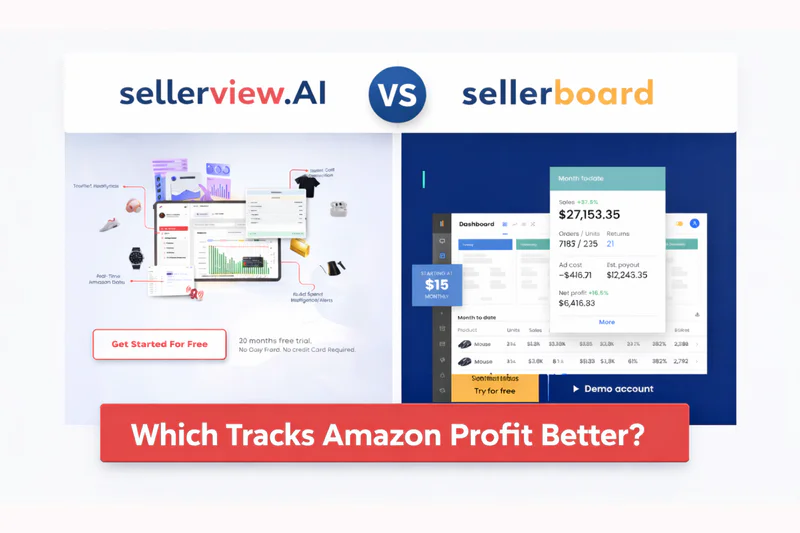
Why This Comparison Matters Now
The Amazon fee structure got more complex again in 2024. FBA fees increased. Inbound placement fees were introduced. Low-inventory-level surcharges hit sellers who weren't paying attention. Return processing fees landed. And PPC costs on competitive keywords kept climbing.
The result? Sellers who were profitable in 2022 are now running on fumes — not because their products got worse, but because the margin erosion has been slow, quiet, and nearly invisible on a standard dashboard.
Running an Amazon advertising agency with over 200 active brand clients, I've seen this pattern repeat itself constantly. A seller is doing $200K a month in revenue, thinks they're at 18% net margin, and discovers after a proper P&L audit they're actually at 6% — with three specific fee categories eating the difference.
That's not a sales problem. That's a profit visibility problem. And it's exactly why the tool you use to track Amazon profits matters more in 2025 than it ever has.
What Is Sellerboard?
Sellerboard is a profit analytics platform built for Amazon sellers. It connects to your Seller Central account and pulls in sales data, FBA fees, PPC costs, refunds, and storage charges to calculate your real net profit per product.
What Sellerboard Does Well
It's thorough. If you want to slice your data by ASIN, time period, marketplace, or cost category, Sellerboard gives you the tools to build that analysis yourself. Sellers who are analytically inclined and willing to spend time in the platform get a lot of value from it. Pricing starts at $15/month for up to 3,000 orders — one of the most affordable options in the category — scaling to $65+/month for higher-volume accounts.
What Sellerboard Doesn't Tell You
Here's the problem no review article mentions: Sellerboard shows you the data but doesn't prioritize what to fix. You'll see that your FBA fees went up by 12% this month. You won't be told that $4,200 of that is from a dimensional weight error on three ASINs that Amazon miscalculated — unless you already know to look for it.
It's a data tool dressed up as a profit tool. For a seller doing $50K/month who already knows their numbers cold, that's fine. For everyone else, it's a lot of dashboards and not enough answers.
What Is Sellerview?
Sellerview is a real-time profit analytics tool built specifically to show Amazon FBA sellers where their money is leaking — not just how much they made. It was built by Himanshu, the founder of Adsify, after spending years managing Amazon advertising for 200+ brands and watching the same profit leaks destroy margins across accounts of every size.
If you want a quick sense of your numbers before diving deeper, our amazon profit calculator is a good place to start.
The Key Difference in Philosophy
Sellerboard is built for analysis. Sellerview is built for action. When you log into Sellerview, the first thing you see is not a generic P&L dashboard — it's your top three profit leaks, ranked by dollar impact. You don't have to go looking for the problem. The platform tells you what it is and what to do about it.
That design philosophy comes directly from the agency experience behind the product. When you're managing 200+ brand accounts, you learn fast which metrics actually predict margin erosion — and it's almost never the ones sellers are watching.
The 3-Leak Framework: Where FBA Sellers Actually Lose Money
After analyzing P&L data across hundreds of Amazon seller accounts at Adsify, a consistent pattern emerged. Most sellers who think they have a sales problem actually have a leak problem — and the leaks almost always come from the same three places.
Leak #1 — FBA Fee Errors: Dimensional weight miscalculations and overcharged storage account for $800–$4,500/month in hidden losses for most mid-size sellers. These are nearly impossible to spot without a line-item audit. Leak #2 — PPC Bleed: ACoS creep on competitive terms quietly burns $1,200–$8,000/month. It's visible in the data but almost never surfaced automatically. Leak #3 — Return Abuse: Unusual return rates and refund farming cost sellers $400–$3,000/month and are buried deep in returns reports that nobody reads.
The 3-Leak Rule: If you're bleeding margin and can't find it on your current dashboard in under 5 minutes, your tool is working against you. Sellerview was built around this framework. Sellerboard gives you the data to find these leaks — but only if you already know they exist.
Sellerview vs Sellerboard: Feature-by-Feature Breakdown
Both tools offer real-time P&L tracking, but the differences become clear when you look deeper. Sellerview provides automated profit leak detection and FBA fee error alerts that Sellerboard simply doesn't surface. Sellerboard tracks ACoS while Sellerview shows the full net margin impact of your ad spend. On return abuse detection, Sellerview flags unusual patterns automatically — Sellerboard doesn't have this feature at all.
On the PPC Question: Every tool tracks ACoS. Almost no tool shows you what happens to net profit when ACoS creeps from 20% to 35% on a product that already has 30% Amazon referral fees and 15% FBA fees. Run those numbers: at 35% ACoS on a $40 product, your ad cost alone is $14. Add $6 in FBA fees, $6 in referral fees, $8 in COGS — you've spent $34 to sell something for $40. That's 15% gross margin before returns and storage. Sellerview surfaces this automatically. In Sellerboard, you'd need to build the calculation yourself.On the PPC Question: Every tool tracks ACoS. Almost no tool shows you what happens to net profit when ACoS creeps from 20% to 35% on a product that already has 30% Amazon referral fees and 15% FBA fees. Run those numbers: at 35% ACoS on a $40 product, your ad cost alone is $14. Add $6 in FBA fees, $6 in referral fees, $8 in COGS — you've spent $34 to sell something for $40. That's 15% gross margin before returns and storage. Sellerview surfaces this automatically. In Sellerboard, you'd need to build the calculation yourself.
The Setup Tax: Which Tool Gets You to Insight Faster
Sellerboard's most common user complaint is that it can be overwhelming. That's not a UI problem — it's a design philosophy problem. The platform expects you to bring your own analytical framework. You define what to look for. It provides the data. For a solo seller trying to diagnose a margin problem at 10pm on a Tuesday, this is a problem. They don't want more data. They want to know what's wrong.
Time to first actionable insight — Sellerboard requires 2–4 hours of configuration plus knowing what to look for. Sellerview gets you there in under 30 minutes, with the platform surfacing priority issues automatically. At $200K/month, you're not spending hours in an analytics dashboard — you're making decisions. You need a tool that does the work before you open it.
Pricing Comparison
Sellerboard starts at $15/month for up to 3,000 orders, scaling to $63/month for unlimited orders. A free 1-month trial is available. Sellerview offers a free trial with no credit card required, with paid plans that scale with your account size. For sellers at early stages, Sellerboard's $15/month entry point is genuinely hard to beat on pure cost. But the question isn't which tool is cheaper — it's which tool recovers more money. If Sellerview surfaces one FBA fee error that recovers $2,000, it has paid for itself many times over before the second month
Who Should Use Which Tool
Use Sellerboard if you're analytically confident and enjoy building your own data analysis, want multi-channel tracking beyond Amazon (eBay, Shopify), budget is a primary constraint at $15/month, want email automation included, or already know what metrics to monitor and just need clean data.
Use Sellerview if your revenue is growing but margins are flat or shrinking, you're doing $10K–$500K/month and can't pinpoint where money is going, you want the tool to surface problems rather than requiring you to find them, you've been burned by hidden FBA fees or PPC bleed before, or you want analytics built by someone who's managed P&L for 200+ Amazon brands.
Frequently Asked Questions
Is Sellerboard accurate for FBA fee tracking?
Sellerboard pulls fee data directly from Seller Central, so it's generally accurate. However, it doesn't flag discrepancies or calculation errors — it shows what Amazon charges, not whether Amazon charged correctly.
Does Sellerview replace Sellerboard completely?
Not necessarily. They serve different seller profiles. Sellerboard is a great general analytics dashboard; Sellerview is specifically built to surface and fix profit leaks. Some sellers use both.
What's the biggest reason sellers switch away from Sellerboard?
The main frustrations are the learning curve, data overwhelm, and the fact that the platform doesn't guide users toward actionable decisions. It's a powerful tool that requires significant seller expertise to use effectively.
How quickly can I spot a profit leak with Sellerview?
Most sellers identify their first significant profit leak within the first session. The platform prioritizes issues by dollar impact, so the most expensive problems surface first.
The Bottom Line
Sellerboard is a solid, affordable tool with strong data depth. If you're analytically driven, it delivers. But data depth without directional guidance is just noise at scale.
Sellerview was built because the Amazon fee structure has become too complex for passive monitoring. You need a tool that does the analysis before you open the dashboard — and tells you what to fix in order of what's costing you the most. If your revenue looks fine but your bank account doesn't agree, that gap has a name. Sellerview finds it. Start your free Sellerview trial at sellerview.ai— no credit card required. See your top 3 profit leaks in under 30 minutes.