
Your ACoS is 22%. Your campaign manager says that's good. Your category benchmark says 20–25% is healthy. So you scale the spend — from $2,000/month to $6,000/month. Revenue goes up. You feel like you're building something.
Then you look at your actual bank deposits. Flat. Sometimes lower than the month before.
Here's what happened: your ACoS was fine. Your TACoS was 41%. More than 4 out of every 10 dollars you made went straight back to Amazon in ad spend. You weren't building a business. You were funding Amazon's revenue model with yours.
This is what Amazon PPC looks like when you only read the surface — and it's exactly what every "What is Amazon PPC" article out there misses.
So let me give you the version nobody writes. The P&L version.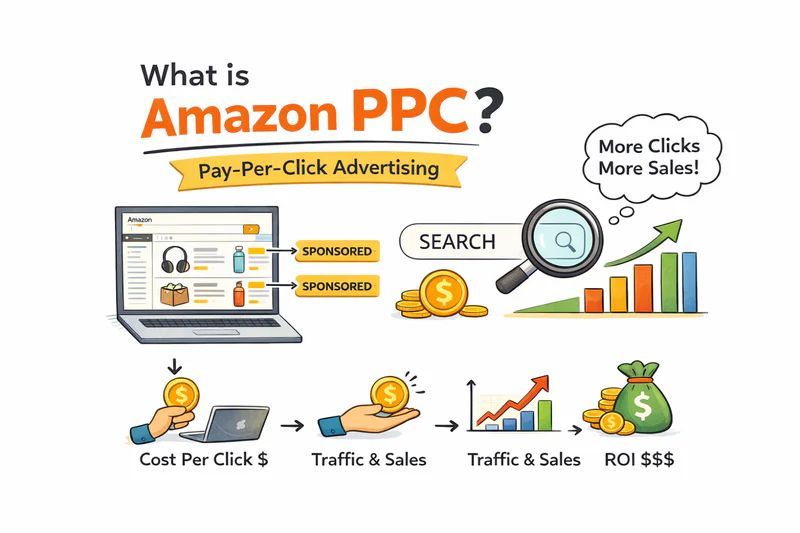
Key Takeaways
ACoS measures ad efficiency. TACoS measures ad dependency. Most sellers optimize the wrong one.
Calculate your Break-Even ACoS from your unit economics before you touch Campaign Manager.
PPC is a rank-building tool — not just a sales tool. The flywheel effect is where the real ROI lives.
Running PPC on broken unit economics accelerates losses. There's a 4-point gate check before you should spend a dollar.
Running full ad budgets into low inventory is one of the most expensive operational mistakes on Amazon.
Table of Contents
What is Amazon PPC — And Why Most Sellers Get It Wrong
Amazon PPC (Pay-Per-Click) is Amazon's advertising system where you bid on keywords or product placements, your ad appears in search results or on product pages, and you pay only when a shopper clicks.
That's the textbook answer. Every article has it.
Here's the part they leave out: Amazon PPC is also the primary lever Amazon uses to make your organic traffic dependent on paid spend. The more you run ads, the more your total sales depend on ads — and the harder it becomes to pull back without losing rank.
Understanding that tension is the whole game.
The 3 Ad Types — And When to Actually Use Each
Most articles list these as equal options. They're not. Each one fits a specific business stage.
Sponsored Products
Your starting point. Always. These are keyword-targeted ads that appear in search results and on product pages. For any new ASIN, or any seller under 50 reviews per ASIN, this is the only format you should be running. Everything else is noise until your foundation is solid.
Sponsored Brands
Once you have social proof: 50+ reviews, a 4+ star rating, and a proven conversion rate. These banner-style ads feature your brand logo and multiple products. They're effective for brand recall and capturing demand you've already built organically. Run them too early and you're paying for impressions against an audience that has no reason to trust you yet.
Sponsored Display
A defensive and retargeting play. You use this to appear on competitor product pages or re-engage shoppers who viewed your listing but didn't convert. Works when you have enough volume to make retargeting meaningful. Not a Day 1 tool.
Simple funda: Sponsored Products first. Sponsored Brands after social proof. Sponsored Display when you're defending territory you've already built.
The Calculation Every Seller Should Run Before They Touch Ads
Nobody covers this clearly enough, so let me be direct.
Before you set a single bid, you need to know your Break-Even ACoS.
Break-Even ACoS = Net Margin % Before Ads
Breaking Down the Math
Selling price: $35.00
COGS (landed, including freight and prep): $9.00
Amazon referral fee (15%): $5.25
FBA fulfillment fee: $4.50
Storage + return allowance: $1.00
Net margin before ads: $15.25 ÷ $35.00 = 43.6%
That means your Break-Even ACoS is 43.6%. Any ACoS above that and you're losing money on every ad-driven sale.
Now ask yourself: is your current campaign running at 38% ACoS? That sounds dangerously close to break-even — before you factor in the organic sales that would have happened anyway, the return rate on ad-driven orders, and overhead you haven't allocated.
Most sellers don't know their Break-Even ACoS. They're bidding blind against a generic benchmark someone wrote in a blog post. That benchmark has nothing to do with their actual product economics. For reference on what a realistic net margin looks like across different product types, see our breakdown of what's a normal Amazon FBA profit margin after fees and ads.
How to Set Your Target ACoS
Target ACoS = Break-Even ACoS × (1 - desired profit buffer)
If you want to keep 30% of your margin intact after ads, your Target ACoS should be 70% of Break-Even. For the example above: 43.6% × 0.7 = ~30% Target ACoS.
Run this math before you open Campaign Manager. Not after.
ACoS Is Not the Metric You Should Be Optimizing
Here's what nobody tells you:
ACoS measures ad efficiency. TACoS measures ad dependency. They are completely different things — and most sellers are optimizing the wrong one.
You can have a 20% ACoS and a 45% TACoS simultaneously. That means your ads look "efficient" — but nearly half your total margin is going to Amazon in PPC. Your organic sales aren't growing. Every dollar of revenue you generate still needs ad spend behind it.
That's a treadmill, not a business.
The TACoS Benchmark That Actually Matters
The number you want to watch is TACoS trending down over time. A declining TACoS means your organic rank is strengthening. You're paying for less of each sale. Margin is expanding without touching your price. That's the compounding effect of PPC done right.
If your TACoS has been flat at 30–35% for 6 months, your keyword strategy isn't working. You're sustaining sales, not building leverage.
I track TACoS on every brand I work with — every 14 days, not daily (you need data maturity) and not monthly (too slow to catch problems). Flat TACoS for two consecutive review periods is a red flag that triggers a full campaign audit. To understand how ACoS fits into this picture, read our full breakdown of what Amazon ACoS really means for your profit.
PPC Is a Rank Tool. Treat It Like One.
Every article tells you PPC drives sales. True — but that's the incomplete version.
Here's what they miss: sales velocity drives organic rank. And organic rank is free traffic.
The PPC Flywheel
PPC drives clicks and conversions
Conversions build sales velocity
Sales velocity signals demand to Amazon's algorithm
Algorithm rewards you with organic rank
Organic rank generates free traffic
Free traffic reduces TACoS
Lower TACoS = more margin to reinvest or keep
This is why the launch window matters so much. When you go live with a new ASIN, Amazon's algorithm gives it a temporary ranking boost while assessing product-market fit. Your PPC conversions during weeks 1–4 carry disproportionate weight in setting your long-term rank.
Sellers who treat PPC as a pure sales tool run it indefinitely at flat TACoS. Sellers who treat it as a rank-building tool front-load spend at launch, build organic velocity, then watch TACoS compress as organic takes over.
The difference in unit economics between these two approaches at the 12-month mark is significant. One business is at 35% TACoS a year in. The other is at 16% and compounding.
When NOT to Run PPC
This is the section nobody writes. Every Amazon PPC guide is unconditionally pro-advertising.
Here's the honest answer: if your unit economics can't absorb the ad spend, PPC will accelerate your losses — not fix them.
The 4-Point Gate Check Before You Spend a Dollar
Is your Break-Even ACoS above 25%? If not, you have almost no room to run ads profitably. Fix COGS or your sell price first.
Is your listing conversion rate above 8%? Below that, you're paying for clicks that don't convert. PPC at low CVR is cash out the window. Fix the listing first — images, title, bullets, A+ content.
Do you have at least 10–15 reviews? Below this threshold, social proof is too thin for ad spend to convert efficiently. Concentrate on reviews first via Vine or early buyer follow-ups.
Do you have 60+ days of inventory cover? If not, you'll spend on ads and go out of stock before rank has a chance to build. Fix inventory first.
Below 25% Break-Even ACoS, nothing downstream saves you. The product economics have to work before the ad economics can work.
I've seen US sellers burning $8,000–$12,000/month on PPC for a product with a 14% Break-Even ACoS. Every click was a slow bleed. No campaign structure, bidding strategy, or software fixes a broken unit margin. These are the same unit economics mistakes covered in our post on the Amazon FBA mistakes that kill your profit margins — and PPC amplifies every one of them.
The Inventory Trap Nobody Talks About

Running PPC while heading into a stockout is one of the most expensive mistakes I see regularly — and it's completely absent from every Amazon PPC guide out there.
Here's what happens:
You're running $4,000/month in ads. Rank is building. Sales velocity is up. TACoS is finally starting to compress. Then you go out of stock for 10 days.
Amazon interprets zero inventory as low demand. Your organic rank collapses. The velocity you built — which took 6–8 weeks and $8,000–$10,000 in ad spend — resets. When you restock, you're starting from scratch on rank, paying PPC rates again on a listing that has lost all its momentum.
The 30-Day Inventory Rule
Never run full-budget PPC when your inventory cover drops below 30 days.
Pull spend back to 20–30% of normal budget as inventory gets thin. This preserves some rank signal without burning cash on sales you can't sustain. A controlled slowdown beats a full rank reset every time.
The interaction between PPC spend and inventory health isn't treated as a PPC topic in most articles. It absolutely should be — because stockouts don't just cost you the lost sales. They cost you every dollar of ad spend you invested to build the rank you just gave back.
What Healthy Amazon PPC Looks Like on a P&L
At the end of the month, a healthy PPC account shows this:
If your TACoS is above 30% on an ASIN that's been live for 6+ months, something is structurally wrong — either the keyword strategy, the listing CVR, or the product economics. Ads aren't the problem. They're surfacing the problem.
That's exactly what Sellerview is built for. Not just showing you ACoS. Showing you TACoS per ASIN, organic vs. paid revenue split, and how your ad spend is actually moving your margin — in real time, per SKU. Not a blended dashboard. Actual answers.
FAQ
What is a good ACoS for Amazon PPC?
There's no universal number — and any article that gives you one is doing you a disservice. Your Target ACoS must come from your own Break-Even ACoS, which comes from your unit economics. General benchmark: below 25% ACoS is healthy for most US categories, but that number is meaningless if your Break-Even is 18%.
How much should I spend on Amazon PPC?
Set your budget by what your product economics can absorb — not by a percentage-of-revenue rule. Start with enough to get 10–15 clicks per day on your top exact-match keywords. Evaluate CVR and TACoS after 3 weeks of clean data. Scale only when TACoS is within target.
Does Amazon PPC affect organic ranking?
Yes — directly. Sales velocity from ad-driven conversions feeds into Amazon's ranking algorithm. PPC is how you buy initial rank when you have no organic history. The goal is to use PPC to build enough organic rank that paid dependency (TACoS) decreases over time.
What's the difference between ACoS and TACoS?
ACoS = ad spend ÷ ad revenue. TACoS = ad spend ÷ total revenue. ACoS tells you how efficient your campaigns are. TACoS tells you how dependent your entire business is on ads. Optimize for a declining TACoS over time — not a "good" ACoS in isolation.
Is Amazon PPC worth it for new sellers?
Yes — if the four gate checks above are cleared first. No — if you're using PPC to compensate for a broken margin, an unconverted listing, or thin inventory. PPC amplifies what's already working. It doesn't fix what isn't.
What is the minimum budget for Amazon PPC?
Amazon's minimum daily budget is $1, but that's not a practical number. To get statistically meaningful data in a reasonable timeframe, you need enough budget for at least 10–15 clicks per day on your target keywords. In most US categories, that means $20–$50/day minimum to run a real test.
The Bottom Line
Amazon PPC is not complicated. What's complicated is running it profitably at scale — and that requires knowing your Break-Even ACoS before you bid, tracking TACoS not just ACoS, treating your launch spend as a rank-building investment, and never running full budgets into thin inventory.
Most US sellers skip the math and jump straight to Campaign Manager. That's why most sellers can't explain why their margins are shrinking even as their ad revenue grows.
Run the numbers on your SKUs first. Then open the campaigns.
Sellerview shows you TACoS per ASIN, organic vs. paid revenue split, and real margin per SKU — so you can see exactly when PPC is working for you and when it's working against you.
Try Sellerview free — see your true ad-adjusted profit in minutes →