
What Is Amazon TACoS?
TACoS stands for Total Advertising Cost of Sale. It is one of the most important — and most underused — metrics in Amazon selling. While most sellers laser-focus on ACoS, TACoS gives you a far more complete picture of how advertising is actually affecting your entire business, not just your ad campaigns. TACoS tells you what advertising costs across the business. To see it land on a single unit, model ad spend against your real margin.
The core idea behind TACoS is simple: it measures your total advertising spend as a percentage of your total revenue — organic sales included. This means it captures the full relationship between what you spend on ads and what your business earns across every channel on Amazon.
Here's the formula:
TACoS = (Total Ad Spend ÷ Total Revenue) × 100
To put that into real numbers: if you spent $2,000 on Amazon PPC in a month and your total sales — from both ads and organic search — came to $20,000, your TACoS is 10%. Simple to calculate, but loaded with insight.
Compare that to a scenario where your ad-attributed revenue is only $8,000. Your ACoS would be 25%, which might look worrying at first glance. But your TACoS of 10% tells a very different story — that your ads are driving a much larger pool of organic revenue, which is exactly what you want your advertising to do.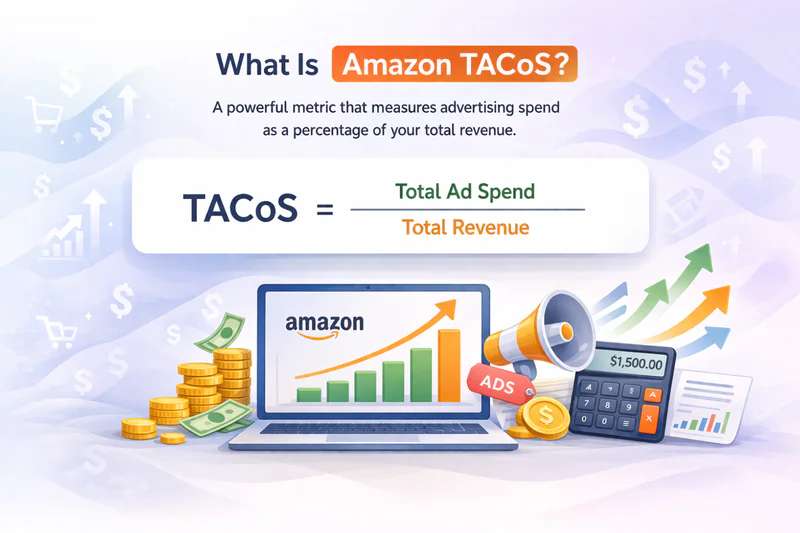
TACoS vs. ACoS: What's the Difference?
To understand why TACoS matters so much, you first need to understand what ACoS is and where it falls short.
ACoS (Advertising Cost of Sale) is the ratio of ad spend to ad-attributed revenue:
ACoS = (Total Ad Spend ÷ Ad Revenue) × 100
ACoS is a useful metric for evaluating the efficiency of individual campaigns. If you're running a Sponsored Products campaign targeting a specific keyword, ACoS tells you whether that keyword is generating ad revenue at a cost that makes sense relative to your margins.
But here's the limitation: ACoS only looks at sales that Amazon directly attributes to an ad click. It completely ignores organic sales — the sales you make because a shopper found your product through a regular search result, not a sponsored one.
This blind spot creates a major problem. Sellers who optimize exclusively for ACoS often end up cutting campaigns that are actually building long-term organic rank. They see a high ACoS and pull back on spend, not realizing those ads were generating keyword velocity and review momentum that was quietly growing their organic sales in the background.
TACoS fixes this. Because it includes all revenue in the denominator, it tells you whether your advertising investment is growing your total business, not just your ad-attributed slice of it.
Here's another way to think about the relationship between the two metrics:
If your ACoS is rising but TACoS is falling, your ads are less efficient but your organic sales are growing faster — a healthy sign.
If your ACoS is stable but TACoS is rising, your organic sales are declining and you're becoming more dependent on paid traffic — a warning sign.
If both ACoS and TACoS are falling, your ads are efficient and your organic rank is improving — the best-case scenario.
Why TACoS Matters More Than ACoS
ACoS tells you how efficiently your ads convert. TACoS tells you how much ads actually cost your business. Here's a deeper look at why that distinction is so important:
1. It Reflects True Business Health
A rising ACoS is not automatically a red flag. If your organic sales are growing faster than your ad spend, ACoS naturally increases — but that's a good thing. TACoS captures this dynamic. If your TACoS is trending downward over time, your advertising is doing exactly what it should: building organic rank, reducing ad dependency, and strengthening the long-term value of your listings.
Conversely, a low or stable ACoS can mask a serious problem. If your organic sales are declining and you're relying more heavily on paid traffic to hit your revenue targets, your TACoS will trend upward even as ACoS looks fine. TACoS catches this deterioration where ACoS won't.
2. It Shows Whether Ads Are Building Organic Rank
One of the most important — and under appreciated — functions of Amazon PPC is keyword ranking. Every time a shopper clicks your ad and buys, Amazon records a sale against that keyword. Enough of those sales and Amazon starts ranking your product organically for that keyword, meaning future shoppers find you without you paying for the click.
If your ads are successfully building organic rank, you'll see a pattern in your data: ad spend stays roughly constant, but organic sales grow over weeks and months. This shows up as a declining TACoS, even if ACoS stays flat or rises slightly. It's one of the clearest signals that your PPC strategy is working at a deeper level than campaign-by-campaign efficiency.
3. It's a Better Profitability Indicator
To make a profit, you need your total advertising cost to sit well below your net margin. If your net profit margin after FBA fees is 22%, a TACoS of 8% leaves meaningful room for COGS, returns, storage fees, and other costs. ACoS can't give you this picture in isolation because it doesn't account for organic revenue or the real cost of advertising across your entire business.
TACoS gives you a direct, actionable target: if your margins are X%, your TACoS needs to stay below Y%. That's the kind of clear profitability framework that ACoS simply cannot provide on its own.
How to Calculate Your TACoS
Calculating TACoS is straightforward, but you need to pull numbers from two different places in Seller Central:
Total ad spend — Find this in your Advertising Console under Campaign Manager. Look at total spend for your chosen date range across all campaign types (Sponsored Products, Sponsored Brands, Sponsored Display).
Total sales — Find this in your Business Reports under "Detail Page Sales and Traffic." Use "Ordered Product Sales" for the same date range. This includes both organic and ad-attributed sales.
Divide total ad spend by total sales and multiply by 100. For example:
Total ad spend: $3,500
Total sales: $35,000
TACoS: ($3,500 ÷ $35,000) × 100 = 10%
One important note: make sure you're comparing the same date range for both numbers. Amazon's attribution windows can cause slight discrepancies, so using a rolling 7-day or 30-day window gives the most reliable picture.
What Is a Good TACoS on Amazon?
There's no single "good" TACoS that applies to every seller. What's acceptable depends heavily on your product category, margin structure, and where you are in the product lifecycle. That said, here's a practical framework most experienced sellers use:
Under 10% — Excellent. You have strong organic sales, ads are highly efficient, and your advertising is a small fraction of total revenue.
10–20% — Healthy for most established sellers in competitive categories.
20–30% — Acceptable during active launch phases or when pursuing aggressive ranking campaigns for high-value keywords.
Over 30% — A warning sign. At this level, ad spend is consuming a significant portion of revenue, which is only sustainable if margins are very high or you're in a deliberate short-term push.
New product launches will naturally run higher TACoS — sometimes 40–60% — while building initial sales history and keyword rank. This is expected and acceptable. The goal is to watch TACoS trend downward as organic velocity grows over the following weeks and months. If it doesn't decline after a reasonable launch period, it's a signal to reassess your listing, pricing, or keyword strategy.
TACoS by Product Stage: What to Expect
Understanding TACoS in isolation isn't enough — you need to interpret it in the context of where your product is in its lifecycle.
Launch Phase (0–90 Days)
During launch, you have little to no organic rank. Nearly all your sales will be ad-driven, so your TACoS will naturally be high. This is the right time to spend aggressively on ranking keywords, accept a higher TACoS, and focus on building reviews and sales velocity. A TACoS of 25–50% is normal here.
Growth Phase (3–12 Months)
As your organic rank improves, organic sales should start supplementing ad-driven revenue. You should see TACoS declining even as you maintain or slightly increase ad spend. If TACoS isn't falling during this phase, your listing may have a conversion problem — weak images, uncompetitive pricing, or sparse reviews.
Mature Phase (12+ Months)
A well-optimized mature product should have a TACoS of 10–15% or lower. At this stage, ads serve primarily to defend ranking and capture incremental sales rather than to build organic presence from scratch. If your mature product still has a high TACoS, it's a signal that your organic strategy has stalled.
How to Improve Your Amazon TACoS
Reducing TACoS is about growing total revenue faster than ad spend — primarily by growing organic sales. Here are the most effective tactics:
1. Improve Your Organic Ranking
The single fastest path to a lower TACoS is growing organic sales. Every organic sale that comes in without an ad click reduces your TACoS automatically. To build organic rank, focus on listing quality — keyword-optimized titles, bullet points, and backend search terms — along with strong review velocity and consistent conversion rates. A listing that converts well teaches Amazon's algorithm that your product deserves organic placement.
2. Audit and Tighten Ad Campaigns
Common FBA mistakes like ignoring negative keywords or letting broad match run unchecked can silently inflate your TACoS for months. Conduct a thorough negative keyword audit at least monthly — search term reports often reveal dozens of irrelevant queries eating ad budget with zero conversions. Pause underperforming ad groups, tighten match types on expensive keywords, and consolidate spend on your top converters. Less wasted spend directly lowers your TACoS numerator.
3. Focus Ads on Ranking Keywords, Not Just Sales
Shift a portion of your budget toward keywords where you're sitting on page 2 or near the bottom of page 1. A small, sustained ranking bump on a high-volume keyword can unlock a disproportionate amount of organic traffic. These ranking campaigns may have a high short-term ACoS, but their impact on TACoS over 60–90 days can be enormous as organic sales flow in behind the improved position.
4. Increase Average Order Value
More revenue per transaction without more ad spend is a direct TACoS lever. Consider creating product bundles, using Amazon's virtual bundle feature, or using Sponsored Display to cross-sell complementary ASINs to existing buyers. A 15% increase in average order value can meaningfully compress TACoS without touching your ad budget at all.
5. Optimize Pricing Strategically
Pricing affects both your conversion rate and your organic rank. A product priced slightly below competitors often wins the Buy Box more consistently and converts at a higher rate, increasing total revenue and lowering TACoS. Use automated repricing tools during high-traffic periods like Prime Day and holiday seasons, when higher organic conversion rates can dramatically reduce TACoS without any change in ad spend.
6. Track TACoS Weekly
TACoS is a lagging indicator — it reflects what happened over the past 7–30 days. Set a weekly cadence to review it alongside ACoS and your organic sales share (organic revenue ÷ total revenue). Watching the organic sales share trend upward is the most direct confirmation that your ads are building lasting value. Tools like Sellerview or Sellerboard make this easy by pulling ad spend and total revenue into a single dashboard, so you don't have to manually cross-reference two separate Seller Central reports every week.
Common TACoS Mistakes Sellers Make
Even sellers who know what TACoS is often misuse it. Here are the most common mistakes to avoid:
Looking at TACoS without organic sales share. TACoS alone doesn't tell you whether your organic ratio is improving. Always track the split between ad-driven and organic revenue alongside TACoS.
Comparing TACoS across different products without context. A new product will always have a higher TACoS than a mature one. Benchmark each product against its own historical trend, not against other products in your catalog.
Setting a TACoS target without knowing your margin. TACoS is only meaningful relative to your actual margin. A 20% TACoS might be perfectly fine for a high-margin product and catastrophic for a low-margin one.
Reacting too quickly to short-term fluctuations. TACoS is a lagging metric. A single week of high spend or low organic sales can distort the number. Use a 30-day rolling average for decision-making, not weekly snapshots.
TACoS, ACoS, and ROAS: How They Work Together
Think of these three metrics as layers of the same story, each answering a different question about your advertising:
ROAS (Return on Ad Spend) — How much revenue did each dollar of ad spend generate? Calculated as total ad revenue ÷ ad spend. It's the inverse of ACoS and is often preferred by sellers coming from other ad platforms like Google or Meta.
ACoS — What percentage of ad-attributed revenue went back into ads? Useful for optimizing individual campaigns and keywords at the campaign manager level.
TACoS — What percentage of your total business revenue went into advertising? The most important metric for evaluating overall advertising strategy and business health.
The right way to use all three together: optimize ROAS and ACoS at the campaign level to ensure individual campaigns are efficient. Monitor TACoS at the account and ASIN level to evaluate whether your overall advertising strategy is building a sustainable, organically growing business.
Final Thoughts
Most Amazon sellers obsess over ACoS. It's visible, it's easy to understand, and it updates in near real-time. But ACoS only tells you part of the story — the part that happens inside your ad campaigns. It tells you nothing about what your advertising is doing to your organic business, your keyword rank, or your long-term profitability.
TACoS tells you all of that. It's the metric that answers the question every Amazon business owner actually cares about: is my advertising investment making my business stronger, or is it just buying sales I'd be losing without it?
If your TACoS is trending down quarter over quarter while your total revenue grows, you're building something durable — a product with genuine organic demand that doesn't depend on paid traffic to survive. If your TACoS is flat or rising while ACoS looks fine, dig deeper. Your organic engine may be stalling, and the sooner you catch it, the easier it is to fix.
Track both. But optimize for TACoS.