
Most sellers obsess over traffic. They pour money into PPC, chase impressions, celebrate when sessions go up, and then wonder why their bank account doesn't move. Here's the harsh truth: if your conversion rate is broken, more traffic just means you're paying to lose money faster.
What is Conversion Rate on Amazon?
Conversion rate on Amazon is the percentage of shoppers who land on your product page and actually buy. If 1,000 people visit your listing and 100 of them order, your conversion rate is 10%. That's it.
Amazon doesn't actually show you a metric literally labeled "Conversion Rate" in your reports. What it gives you is Unit Session Percentage, found under Reports, Business Reports, Detail Page Sales and Traffic by Child Item. This is the number most sellers use as their conversion rate, and it's the one that tells you whether your listing is doing its job. Get this number right and every dollar you spend on ads works harder. Get it wrong and no amount of ad spend saves you.
This matters more on Amazon than almost anywhere else online. The average e-commerce website converts at 1 to 4%. Amazon listings average 10 to 15%, and FBA products with the Prime badge regularly hit 15 to 25%. The shopper is already on Amazon with a credit card saved and a buying intent. Your only job is to not lose the sale.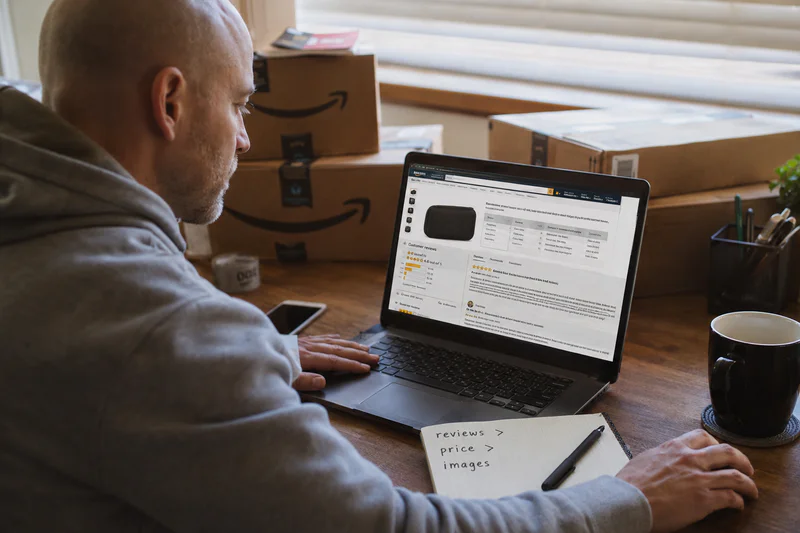
How Conversion Rate Works on Amazon
The core formula is simple: Conversion Rate = (Units Ordered divided by Total Sessions) times 100.
A session is one unique visit to your product detail page within a 24-hour window. So if your listing gets 800 sessions in a week and sells 60 units, your conversion rate is (60 divided by 800) times 100 = 7.5%.
One distinction trips up a lot of sellers: Unit Session Percentage counts units, while a true conversion rate counts orders. If one shopper buys 3 units in a single order, that's 3 units but 1 order. For most single-unit products the two numbers are nearly identical, so don't overthink it. Pick one and track it consistently month over month.
What Actually Moves This Number
Six things, in rough order of impact:
Ratings and reviews - below a 4-star average, conversion falls off a cliff. This is the single biggest lever.
Listing quality - main image, title, bullets framed as Benefits plus Features plus Use Cases, and A+ content.
Price - relative to competitors on the same search page, not in absolute terms.
Delivery speed - FBA with 1 to 2 day Prime delivery beats FBM conversion almost every time.
UGC and video - real user-generated video reviews convert better than polished brand videos.
Variations in stock - a currently unavailable size or color silently kills conversions.
Why Conversion Rate Matters for Your Profitability
This is where most sellers don't connect the dots. Conversion rate isn't a vanity metric. It sits inside the formula that decides whether your ads make money.
Your break-even CPC is calculated as: Break-even CPC = ASP times Conversion Rate times Desired ACoS.
Say your average selling price is $30, your conversion rate is 10%, and your break-even ACoS is 30%. Your max profitable cost-per-click is $30 times 0.10 times 0.30 = $0.90. Now double your conversion rate to 20% and that same math gives you $1.80. You can outbid every competitor on the same keyword and still stay profitable. Conversion rate is the multiplier that quietly sets the ceiling on how aggressively you can scale.
Run your own product through the calculator - see your exact break-even CPC before you touch your bids:
Here is your Free Amazon Profit Calculator
The honest profit equation looks like this: Revenue minus Amazon fees minus ad spend minus returns minus COGS = actual profit. A weak conversion rate inflates two of those deductions at once: you spend more on ads to force the same sales, and you often eat more returns because the listing was attracting the wrong buyers. A healthy brand nets 20 to 25% margin after all five deductions. A 5% conversion rate on a $20 product almost never gets you there.
Common Mistakes Sellers Make with Conversion Rate
Mistake 1: Comparing Against the Wrong Benchmark
Sellers panic when they see 8% and read online that good is 15%. But Electronics averages 3 to 8% while Grocery and Beauty run 15 to 25%. An 8% conversion rate in Electronics is strong. A 12% rate in Grocery is mediocre. Always benchmark against your category, never the platform average.
Mistake 2: Confusing Ad Conversion with Organic Conversion
Across every category, PPC conversion runs 8 to 15% lower than organic. If you only look at your blended number, you'll misjudge your listing. Separate the two. Your organic conversion tells you if the listing is good. Your PPC conversion tells you if your targeting is tight.
Mistake 3: Throwing Ad Spend at a Listing That Doesn't Convert
This is the most expensive mistake. If your listing converts at 4%, more traffic just multiplies your losses. Fix the conversion lever (reviews, images, price) before you scale spend. Most sellers do it backwards.
Mistake 4: Advertising Products That Go Out of Stock
Going out of stock mid-campaign tanks your conversion rate, your ranking, and your relevance score all at once. Don't advertise a product you can't keep in stock for the next 2 to 3 weeks.
How to Use Conversion Rate the Right Way
Pull your baseline. Go to Business Reports, Detail Page Sales and Traffic by Child Item, and record Unit Session Percentage per SKU. Not blended. Per SKU. Blended numbers hide your problem children.
Benchmark against your category, using the 3 to 8% (high-consideration) to 15 to 25% (consumables) range as your map.
Find your worst-converting SKU and diagnose in order: rating first, then main image, then price, then A+ content.
Recalculate break-even CPC with your real conversion rate and reset your bids. Most sellers bid blind.
Re-measure every 14 days, not daily. Daily conversion swings are noise. Fourteen days gives you enough sessions to make a real decision.
Fix conversion before you scale. A product that converts at 18% can absorb 3x the ad spend of one at 6% and stay profitable.
FAQS
1. What is a good conversion rate on Amazon?A good conversion rate on Amazon is 10-15% for most categories, though this varies widely. High-consideration categories like Electronics run 3-8%, while consumables like Grocery and Beauty often hit 15-25%. Always benchmark against your specific category, not the platform average.
2. How is conversion rate calculated on Amazon?
Conversion Rate = (Units Ordered ÷ Total Sessions) × 100. Amazon reports this as "Unit Session Percentage" in Business Reports under Detail Page Sales and Traffic by Child Item, not as a metric literally labeled "conversion rate."
3. Why is my Amazon conversion rate lower than expected?
Six factors most commonly drag down conversion rate: ratings below 4 stars, weak listing quality (images, bullets, A+ content), uncompetitive pricing, non-Prime delivery speed, lack of user-generated video content, and out-of-stock variations. Reviews and ratings are typically the single biggest lever.
4. What is the difference between ACoS conversion and organic conversion on Amazon?
PPC (ad-driven) conversion rate runs 8-15% lower than organic conversion rate across every category. Blending the two numbers hides which one is actually broken — organic conversion tells you if your listing is good, while PPC conversion tells you if your ad targeting is tight.
5. How does conversion rate affect my break-even CPC on Amazon?
Break-even CPC = ASP × Conversion Rate × Desired ACoS. Doubling your conversion rate doubles your maximum profitable cost-per-click, meaning a higher-converting listing can outbid competitors on the same keyword while staying profitable.
How Sellerview.ai Helps You Track Conversion Rate
Sellerview.ai ties conversion rate directly to profit per SKU, so you see not just which listings convert, but which ones actually make money after fees, ads, returns, and COGS.
See your real profit on Sellerview.ai. Start your free trial.